Gigabyte AORUS RGB 256GB NVMe SSD Review (2026)
Quick answer
The AORUS RGB 256GB is a niche product: it appeals to builders who want RGB lighting on their SSD and need a small-capacity boot or application drive.
Read: 3100 MB/s Write: 1050 MB/s Endurance: 380 TBW Warranty: 5 years Interface: M.2 3.0 x 4
The Gigabyte AORUS RGB 256GB is a PCIe 3.0 NVMe SSD that trades on aesthetics — RGB lighting and a decorative heatsink — while delivering solid Phison E12 performance in a small-capacity form factor.
Controller & Memory
The AORUS RGB uses the Phison PS5012-E12 controller paired with Toshiba 64-layer 3D TLC NAND and SK Hynix DDR4 DRAM. It is a familiar platform that appeared in numerous high-end PCIe 3.0 drives from 2018 to 2020, including the Corsair Force MP510, Kingston KC2000, and Silicon Power P34A80. The controller features dual Arm Cortex-R5 cores and supports eight NAND channels.
At 256GB, the AORUS RGB is the smallest capacity in the lineup (also available in 512GB and 1TB). Small capacities on the E12 platform suffer from reduced parallelism — fewer NAND dies means lower sequential and random write speeds. Gigabyte rates the 256GB at 3,100 MB/s sequential read and 1,050 MB/s sequential write, compared to 3,480 MB/s read and 2,000 MB/s write on the 512GB. Random performance drops similarly: 180K read and 240K write IOPS versus 360K/440K on the 512GB.
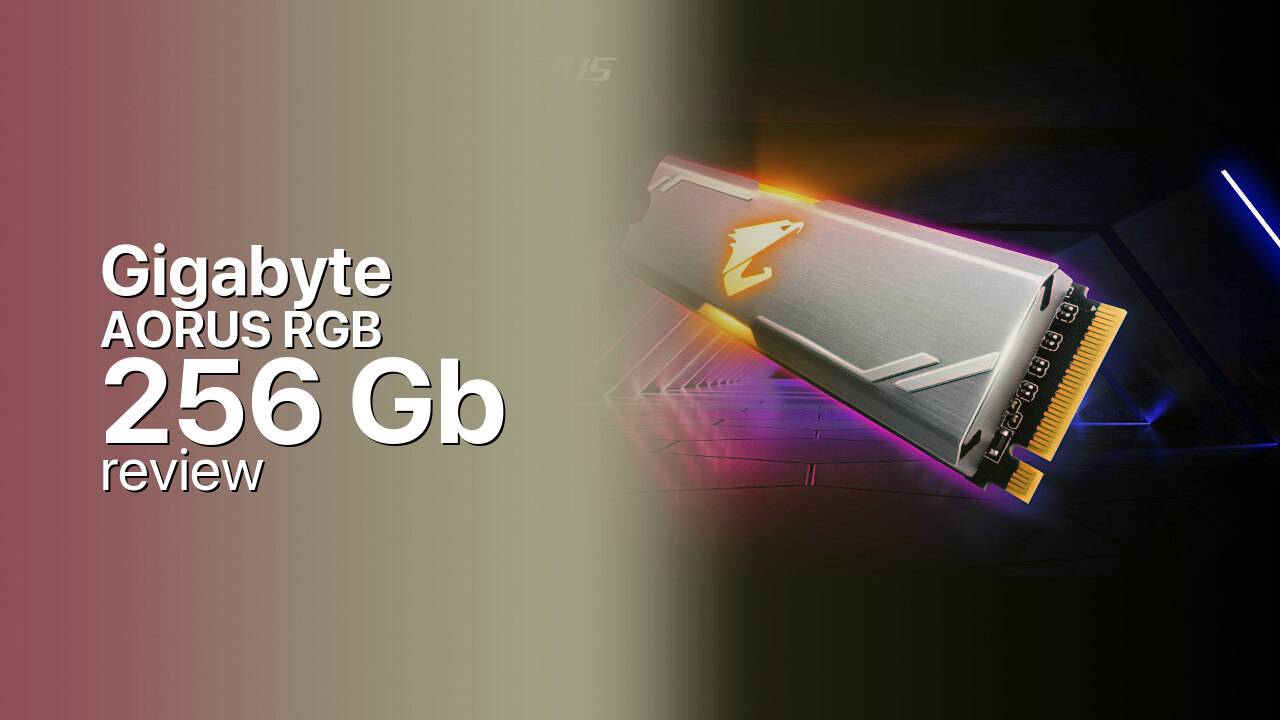
The drive ships with an M.2 heatsink that incorporates RGB LEDs illuminating the Aorus eagle logo. The lighting can cycle through colors autonomously or be controlled through Gigabyte's RGB Fusion 2.0 utility — but only on a narrow list of Gigabyte Z390 motherboards. The heatsink makes the drive double-sided and adds height, ruling out most laptop installations. Competitors at this capacity include the ADATA XPG SX8200 Pro 256GB and the Crucial P1 256GB, though neither offers RGB lighting.
Storage Comparisons:
AORUS RGB Performance & Benchmarks
The 256GB AORUS RGB is rated at 3,100 MB/s sequential read and 1,050 MB/s sequential write. AnandTech's review of the 256GB model confirmed these numbers and found that write performance is significantly lower than the 512GB and 1TB variants due to fewer NAND dies for interleaving. The 1,050 MB/s write speed is barely above SATA SSD territory and is a direct consequence of the limited parallelism at 256GB.
Gigabyte AORUS RGB 256 GB vs M.2 3.0 x 4 peers
Switch between sequential throughput and random IOPS to see how this drive stacks up against other M.2 3.0 x 4 SSDs in our database. The highlighted bar is the drive on this page — click any other bar to open that drive.
- ADATA SX 8800 Pro 512 GB: 3,500 MB/s read, 2,700 MB/s write
- ADATA SX 8800 Pro 1 TB: 3,500 MB/s read, 2,700 MB/s write
- ADATA XPG Spectrix S40G RGB 256 GB: 3,500 MB/s read, 3,000 MB/s write
- ADATA XPG Spectrix S40G RGB 512 GB: 3,500 MB/s read, 3,000 MB/s write
- Gigabyte AORUS RGB 256 GB (this drive): 3,100 MB/s read, 1,050 MB/s write
Random performance follows the same pattern: 180K read and 240K write IOPS at QD32, roughly half the 512GB model's figures. At QD1 — the queue depth most relevant to desktop use — the drive behaves similarly to other E12 SSDs at the same capacity. SLC caching is present, but the small capacity means the cache fills quickly during sustained writes. For an OS boot drive or lightweight gaming install, the read speed is the primary metric and 3,100 MB/s is competitive with other PCIe 3.0 drives at 256GB.
Gigabyte AORUS RGB vs Competitors
See how the AORUS RGB stacks up against other M.2 3.0 x 4 drives in our database:
Compare with rival drives:
Endurance, TBW & Warranty
Gigabyte rates the AORUS RGB 256GB at 380 TBW endurance with a 5-year warranty, whichever comes first. This translates to roughly 208 GB of writes per day over five years — more than sufficient for a boot drive or game library at this capacity. The MTBF is rated at 1.8 million hours. At 256GB, the endurance ratio works out to 0.81 drive writes per day, which is typical for consumer TLC drives. For a drive primarily serving as an OS and application boot volume with mostly read traffic, the TBW rating will never be a practical concern.
Gigabyte AORUS RGB 256 GB Specifications
| Category | Value |
|---|---|
| Capacity [?] | 256 GB |
| Interface [?] | M.2 3.0 x 4 |
| Controller [?] | Phison PS5012-E12 |
| Memory type [?] | Toshiba TLC |
| DRAM [?] | SK Hynix DDR4 |
| Read speed (MB/s) [?] | 3100 |
| Write speed (MB/s) [?] | 1050 |
| Read IOPS [?] | 180000 |
| Write IOPS [?] | 240000 |
| Endurance (TBW) [?] | 380 |
| MTBF (million hours) [?] | 1.8 |
| Warranty (years) [?] | 5 |
Verdict: Is the AORUS RGB Worth It in 2026?
The AORUS RGB 256GB is a niche product: it appeals to builders who want RGB lighting on their SSD and need a small-capacity boot or application drive. The 1,050 MB/s write speed is the lowest in the AORUS RGB family and a significant step down from the 512GB model's 2,000 MB/s. For purely performance-oriented builds, the ADATA XPG SX8200 Pro or Kingston KC2000 at the same capacity deliver better write speeds without the RGB premium. The AORUS RGB 256GB makes sense only when the aesthetic is a deliberate part of the build plan and the buyer accepts the capacity-related performance trade-offs.
+ Pros
- 3,100 MB/s sequential read on PCIe 3.0
- RGB lighting with Aorus eagle logo
- Phison E12 with DRAM cache
- 380 TBW endurance at 256GB
- 5-year warranty
- Cons
- 1,050 MB/s write speed is SATA-level
- 180K random read IOPS, half of 512GB
- RGB limited to Gigabyte Z390 motherboards
- Heatsink too tall for laptops
- Small capacity limits gaming and content use
Buy this or similar SSD Storage:



Video Review
This SSD is Lit... lit-erally | Gigabyte AORUS RGB M.2 NVMe SSD review