Micron 2450 256GB — Compact PCIe 4.0 NVMe for Mobile Systems (2026)
Quick answer
The Micron 2450 256GB makes sense in one specific scenario: you need a compact, power-efficient PCIe 4.0 SSD for a thin laptop or handheld device that uses M.2 2230 or 2242 slots.
Read: 3500 MB/s Write: 1600 MB/s Endurance: 180 TBW Warranty: 3 years Interface: M.2 4.0 x 4
The Micron 2450 256GB is the entry-capacity model of Micron's OEM-focused PCIe 4.0 SSD line, purpose-built for thin laptops where power efficiency and compact form factors matter more than peak throughput.
Controller & Memory
Inside the Micron 2450 256GB sits a Phison PS5019-E19 controller paired with Micron's own 176-layer 3D TLC NAND flash. The drive is DRAM-less, relying on HMB (Host Memory Buffer) to borrow a small amount of system RAM for the flash translation layer — a design choice that cuts cost and power consumption, making it well-suited for mobile platforms where every milliwatt counts.
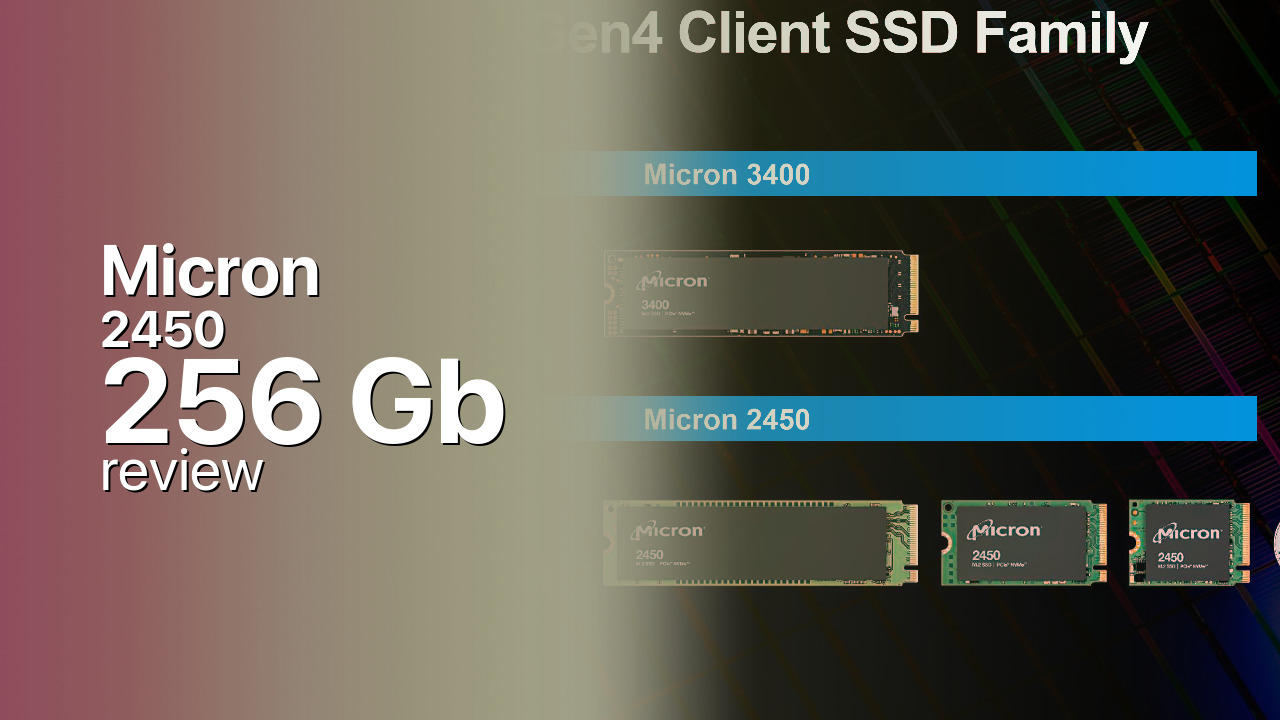
What sets the 2450 apart is its form-factor flexibility: it ships in M.2 2230 (22 × 30 mm), 2242, and 2280 lengths. The 2230 variant is particularly notable — that's the size used in the Microsoft Surface lineup, the Steam Deck, and other compact devices where a standard 2280 drive simply won't fit.
The 256GB model is the slowest in the 2450 series. It's rated at 3,500 MB/s sequential reads and 1,600 MB/s writes, with 190K random read IOPS and 400K random write IOPS. The 512GB and 1TB variants reach 3,000 MB/s writes — nearly double the 256GB model's write speed. This capacity-dependent performance gap is common across SSD lines, but it's especially pronounced here.
Power efficiency is the 2450's strongest selling point. It draws under 3 mW in sleep mode and under 400 mW in active idle, and it's listed on Intel's Modern Standby Partner Portal — meaning OEMs can certifiy their laptops for Instant Go / Modern Standby with this drive installed. For a daily-driver laptop, this translates to measurable battery-life savings over a power-hungry desktop-class NVMe.
Direct competitors in the budget mobile segment include the WD Blue SN580 250GB (faster writes, 5-year warranty), the Samsung 980 250GB (similar performance, no DRAM), and the Kioxia Exceria G2 256GB.
Storage Comparisons:
2450 Performance & Benchmarks
The Micron 2450 256GB is rated at up to 3,500 MB/s sequential reads and 1,600 MB/s sequential writes, with up to 190,000 IOPS random reads and 400,000 IOPS random writes. Those read speeds approach the practical ceiling for a PCIe 4.0 x4 drive in real-world workloads, but the 1,600 MB/s write figure tells a different story — it's roughly half what the 512GB and 1TB variants achieve.
Micron 2450 256 GB vs M.2 4.0 x 4 peers
Switch between sequential throughput and random IOPS to see how this drive stacks up against other M.2 4.0 x 4 SSDs in our database. The highlighted bar is the drive on this page — click any other bar to open that drive.
- Patriot Viper PV593 1 TB: 14,500 MB/s read, 14,000 MB/s write
- Patriot Viper PV593 2 TB: 14,500 MB/s read, 14,000 MB/s write
- Patriot Viper PV593 4 TB: 14,500 MB/s read, 14,000 MB/s write
- Patriot Viper PV573 2 TB: 14,000 MB/s read, 12,000 MB/s write
- Micron 2450 256 GB (this drive): 3,500 MB/s read, 1,600 MB/s write
The write-speed gap matters most for sustained transfers. Moving a 50 GB game library or a large video project to this drive will saturate the SLC cache quickly, after which write speeds drop toward direct-TLC levels — typically 400–800 MB/s on DRAM-less Phison E19 drives. For everyday use — booting Windows, loading applications, opening documents — this is entirely adequate and feels fast. For write-heavy workflows like 4K video editing or large database operations, the 256GB model becomes a bottleneck.
Random 4K performance at 190K read IOPS is respectable for a DRAM-less drive using HMB. In practice, this translates to snappy OS responsiveness and reasonable application load times, though it won't match the sub-200-microsecond latencies of DRAM-equipped drives like the WD Black SN850X. The 400K write IOPS figure is inflated by SLC caching — sustained random writes will drop considerably once the cache fills.
Thermally, the 2450 runs cool by design. Its low power envelope means passive cooling in a laptop chassis is sufficient; thermal throttling is rarely a concern unless the drive is pushed through continuous multi-hour write workloads.
Micron 2450 vs Competitors
See how the 2450 stacks up against other M.2 4.0 x 4 drives in our database:
Compare with rival drives:
Endurance, TBW & Warranty
Micron backs the 2450 256GB with a 3-year limited warranty and a 180 TBW endurance rating. At 180 TBW, you could write roughly 164 GB per day for three years before exhausting the rated endurance — or about 50 GB per day for nearly ten years. For a typical laptop user writing 20–40 GB daily (OS updates, application installs, browser cache), the 256GB model will outlast the warranty period by a wide margin. The 3-year warranty is shorter than the 5-year coverage that competitors like Western Digital and Samsung offer on their budget drives, which is a real drawback. Micron also rates the drive at 2 million hours MTTF (mean time to failure), a statistical population measure that indicates expected reliability across a large batch of drives rather than a guaranteed lifespan for any single unit. Since the 2450 is primarily an OEM drive, warranty claims typically go through the laptop manufacturer rather than Micron directly — check your system's warranty terms before planning an RMA.
Micron 2450 256 GB Specifications
| Category | Value |
|---|---|
| Capacity [?] | 256 GB |
| Interface [?] | M.2 4.0 x 4 |
| Controller [?] | Phison PS5019-E19 |
| Memory type [?] | Micron 3D TLC |
| DRAM [?] | HMB |
| Read speed (MB/s) [?] | 3500 |
| Write speed (MB/s) [?] | 1600 |
| Read IOPS [?] | 190000 |
| Write IOPS [?] | 400000 |
| Endurance (TBW) [?] | 180 |
| MTBF (million hours) [?] | 2000000 |
| Warranty (years) [?] | 3 |
Verdict: Is the 2450 Worth It in 2026?
The Micron 2450 256GB makes sense in one specific scenario: you need a compact, power-efficient PCIe 4.0 SSD for a thin laptop or handheld device that uses M.2 2230 or 2242 slots. Its multi-form-factor support and sub-3-mW sleep draw are genuine advantages in mobile platforms. For anything else, look at the WD Blue SN580 250GB or Samsung 980 250GB — both offer faster write speeds and a 5-year warranty at a similar price point. As a budget mobile boot drive, the 2450 does its job quietly and efficiently, but the 256GB capacity fills up fast and the 3-year warranty lags behind the competition.
+ Pros
- Available in M.2 2230, 2242, and 2280 form factors
- Sub-3 mW sleep draw extends laptop battery life
- 176-layer Micron 3D TLC NAND
- Intel Modern Standby certified
- Cool operation under passive cooling
- Cons
- 1,600 MB/s writes — slowest in the 2450 lineup
- 3-year warranty vs 5 years from competitors
- 256GB capacity fills quickly with modern games
- DRAM-less design limits sustained random write performance
Buy this or similar SSD Storage:



Video Review
Innovation for the Data Economy