VisionTek Pro 250GB Review — Entry-Level PCIe 3.0 NVMe SSD (2026)
Quick answer
Buy the VisionTek Pro 250 GB if you need the cheapest name-brand NVMe boot drive possible and 250 GB is sufficient for your OS and core applications.
Read: 1800 MB/s Write: 1000 MB/s Endurance: 200 TBW Warranty: 3 years Interface: M.2 3.0 x 4
The VisionTek Pro 250 GB is a straightforward answer to a simple question: what is the cheapest way to put a name-brand NVMe boot drive in an older PC and leave SATA behind for good?
Controller & Memory
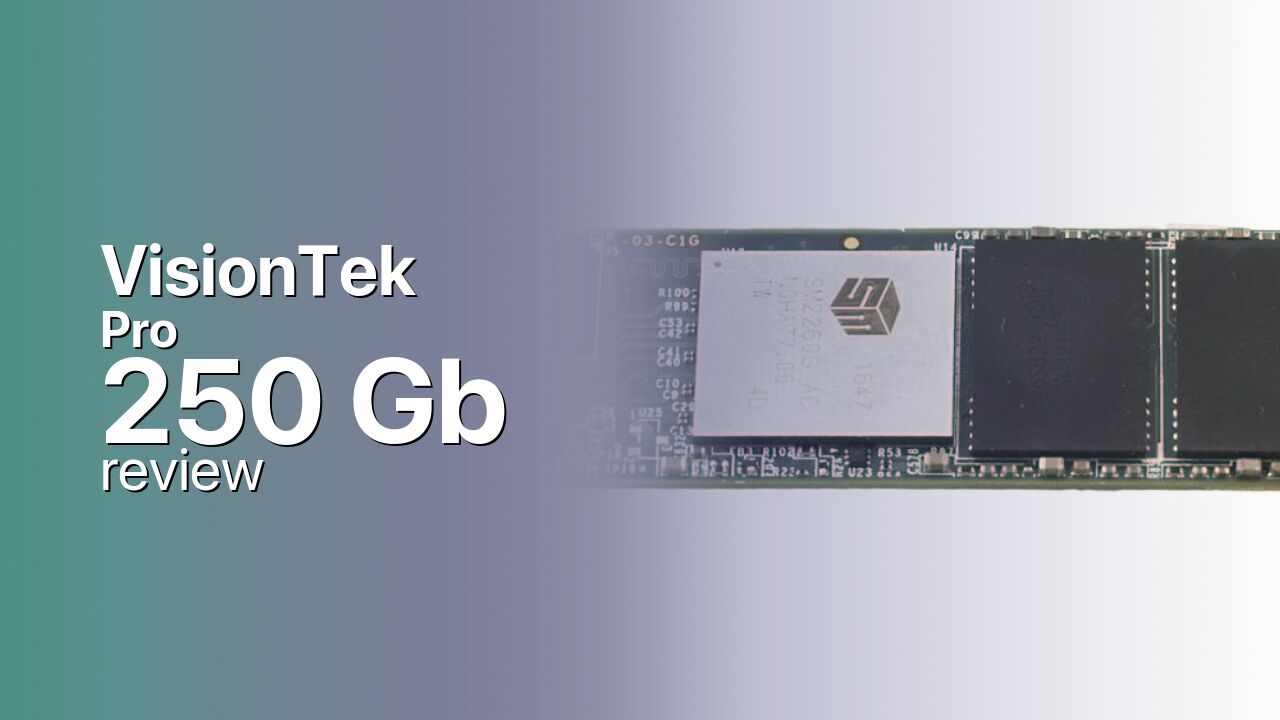
The VisionTek Pro is built on a Silicon Motion NVMe controller paired with an unspecified NAND flash configuration and a standard M.2 2280 PCB running PCIe 3.0 x4. This is the base model in VisionTek's NVMe lineup — positioned below the Pro 2 series — with rated sequential speeds of 1,800 MB/s read and 1,000 MB/s write. VisionTek does not disclose the exact controller model, NAND vendor, or whether the drive includes a DRAM cache, though the speed class and positioning are consistent with a DRAM-less entry-level Silicon Motion design such as the SM2263XT.
At 250 GB, the drive is purpose-built as a boot disk — enough space for Windows or Linux and core applications, with room for one or two frequently played games. The capacity limitation is real but intentional: this is not a game library drive, it is an OS accelerator for systems still running on hard drives or SATA SSDs. The single-sided M.2 2280 PCB installs in any standard desktop or laptop slot without clearance issues, making it a drop-in upgrade for older machines being brought into the NVMe era.
The VisionTek Pro competes at the absolute entry level of the NVMe market, alongside the WD Green SN350, Kingston NV1, and TeamGroup MP33. VisionTek's primary differentiator is the US-based warranty and support infrastructure — an important consideration for buyers who have been burned by no-name SSD failures with no recourse. The 5-year warranty, while not explicitly confirmed across all VisionTek Pro documentation, is consistent with VisionTek's standard SSD warranty terms and adds value in a segment where many competitors offer 3-year coverage.
Storage Comparisons:
Pro Performance & Benchmarks
The VisionTek Pro 250 GB is rated for 1,800 MB/s sequential reads and 1,000 MB/s sequential writes — figures that place it at the lower end of the PCIe 3.0 NVMe performance spectrum but still roughly 3x the peak throughput of any SATA SSD. Random IOPS figures are not published by VisionTek for this model. The 1,800 MB/s read ceiling is characteristic of entry-level DRAM-less Silicon Motion platforms running at conservative clock speeds, and it is sufficient for OS boot and application launch workloads where random read latency matters more than peak sequential throughput.
VisionTek Pro 250 GB vs M.2 3.0 x 4 peers
Switch between sequential throughput and random IOPS to see how this drive stacks up against other M.2 3.0 x 4 SSDs in our database. The highlighted bar is the drive on this page — click any other bar to open that drive.
- ADATA SX 8800 Pro 512 GB: 3,500 MB/s read, 2,700 MB/s write
- ADATA SX 8800 Pro 1 TB: 3,500 MB/s read, 2,700 MB/s write
- ADATA XPG Spectrix S40G RGB 256 GB: 3,500 MB/s read, 3,000 MB/s write
- ADATA XPG Spectrix S40G RGB 512 GB: 3,500 MB/s read, 3,000 MB/s write
- VisionTek Pro 250 GB (this drive): 1,800 MB/s read, 1,000 MB/s write
At 250 GB, the drive has the fewest NAND dies of any capacity in the lineup, which limits sustained write performance after SLC cache exhaustion. The SLC cache on a 250 GB entry-level drive is proportionally small, and write speeds will drop noticeably during transfers larger than roughly 20–30 GB. For a boot drive that rarely sees bulk writes, this is irrelevant — Windows Update, browser cache, and document saves are all small, intermittent writes that never touch the cache ceiling. Users who plan to regularly move large files should consider the 500 GB or 1 TB variants of VisionTek's Pro 2 series instead.
VisionTek Pro vs Competitors
See how the Pro stacks up against other M.2 3.0 x 4 drives in our database:
Compare with rival drives:
Endurance, TBW & Warranty
VisionTek SSDs typically carry a 3- to 5-year limited warranty depending on the specific model and production batch — the Pro series documentation does not explicitly state the warranty term, but VisionTek's standard consumer SSD coverage is 3 years with registration. Endurance ratings are not published for the Pro 250 GB, which is common for drives in the absolute entry-level NVMe segment. Buyers should register the drive after purchase to ensure warranty coverage is active, and check the specific warranty card included in the retail package. VisionTek processes RMA claims through its US-based support portal, which provides more accountability than overseas warranty service for budget alternatives. For users who want a definitively stated 5-year warranty, VisionTek's Pro 2 series documents full warranty terms publicly.
VisionTek Pro 250 GB Specifications
| Category | Value |
|---|---|
| Capacity [?] | 250 GB |
| Interface [?] | M.2 3.0 x 4 |
| Controller [?] | Silicon Motion |
| Memory type [?] | 3D TLC |
| DRAM [?] | HMB |
| Read speed (MB/s) [?] | 1800 |
| Write speed (MB/s) [?] | 1000 |
| Read IOPS [?] | 232000 |
| Write IOPS [?] | 185000 |
| Endurance (TBW) [?] | 200 |
| MTBF (million hours) [?] | 1500000 |
| Warranty (years) [?] | 3 |
Verdict: Is the Pro Worth It in 2026?
Buy the VisionTek Pro 250 GB if you need the cheapest name-brand NVMe boot drive possible and 250 GB is sufficient for your OS and core applications. The 1,800 MB/s read speed is a meaningful upgrade from SATA, and the US-based warranty support provides accountability that no-name alternatives lack. Skip it if you need more than a boot drive — 250 GB is cramped for modern use, and the write speed ceiling of 1,000 MB/s will bottleneck any workflow that involves regular large file transfers. For only a small price increase, the VisionTek Pro 2 250 GB offers 2,680 MB/s reads and publicly documented warranty and endurance specifications, making it the smarter buy in VisionTek's own lineup.
+ Pros
- Low-cost entry point to NVMe from SATA or HDD
- US-based company with domestic warranty support
- 1,800 MB/s reads — triple SATA throughput
- Single-sided M.2 2280 PCB fits any standard slot
- Silicon Motion controller with mature firmware ecosystem
- Cons
- 250 GB capacity limits the drive to boot-only use
- 1,000 MB/s write ceiling is low even for PCIe 3.0
- Endurance, DRAM, and NAND details not publicly documented
- Warranty term not explicitly stated in product documentation
- Pro 2 series offers significantly better specs for a modest premium
Buy this or similar SSD Storage:



Video Review
5 Best Fastest M.2 NVMe SSDs 2021