Kioxia RC500 250GB Review — PCIe 3.0 NVMe SSD (2026)
Quick answer
The Kioxia RC500 250GB is a budget PCIe 3.0 NVMe drive that offers a substantial upgrade over SATA SSDs at a lower price point than flagship NVMe models.
Read: 1700 MB/s Write: 1600 MB/s Endurance: 100 TBW Warranty: 3 years Interface: M.2 3.0 x 4
The Kioxia RC500 250GB is a budget-oriented PCIe 3.0 NVMe drive that steps down from flagship speeds to hit a lower price point while maintaining DRAM cache.
Controller & Memory
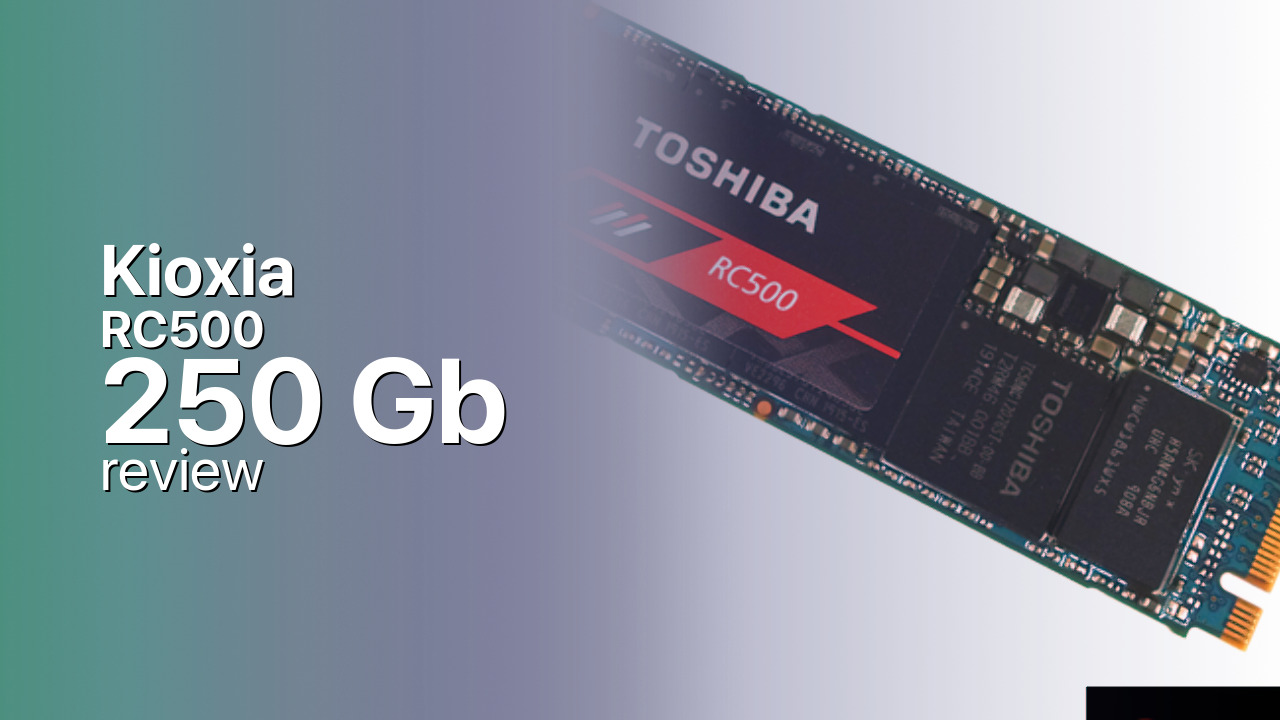
Kioxia released the RC500 series as a mainstream alternative to the flagship RD500, targeting budget-conscious users who still want NVMe performance. The 250GB model is rated at 1,700 MB/s sequential reads and 1,600 MB/s sequential writes—significantly below the 3,400/3,200 MB/s of the RD500, but still 3–4x faster than SATA SSDs.
Internally, the RC500 uses 96-layer BiCS4 TLC NAND and an in-house controller, though Kioxia does not publicly specify the controller model. The drive includes a DRAM cache for consistent random I/O, likely 256MB or 512MB based on industry standards. The M.2 2280 form factor fits virtually any laptop or desktop with an NVMe slot.
The 250GB capacity is best suited as a dedicated boot/OS drive. Windows 11 consumes 80–100 GB, leaving roughly 150 GB for applications. Users will need a secondary drive for games and media.
Storage Comparisons:
RC500 Performance & Benchmarks
The Kioxia RC500 250GB is rated at 1,700 MB/s sequential reads and 1,600 MB/s sequential writes. These are budget PCIe 3.0 speeds—substantially slower than flagship drives like the RD500 or Samsung 970 EVO Plus, but still 3–4x faster than SATA SSDs capped at 560 MB/s. Random 4K performance is approximately 150,000 IOPS reads and 180,000 IOPS writes.
Kioxia RC500 250 GB vs M.2 3.0 x 4 peers
Switch between sequential throughput and random IOPS to see how this drive stacks up against other M.2 3.0 x 4 SSDs in our database. The highlighted bar is the drive on this page — click any other bar to open that drive.
- ADATA SX 8800 Pro 512 GB: 3,500 MB/s read, 2,700 MB/s write
- ADATA SX 8800 Pro 1 TB: 3,500 MB/s read, 2,700 MB/s write
- ADATA XPG Spectrix S40G RGB 256 GB: 3,500 MB/s read, 3,000 MB/s write
- ADATA XPG Spectrix S40G RGB 512 GB: 3,500 MB/s read, 3,000 MB/s write
- Kioxia RC500 250 GB (this drive): 1,700 MB/s read, 1,600 MB/s write
In real-world use, the 250GB RC500 delivers a noticeable improvement over SATA SSDs in boot times and application launches. However, the gap to flagship NVMe drives is significant—large file transfers will take longer versus drives rated at 3,000+ MB/s. The SLC cache on the 250GB model is small, typically around 2–3 GB of pseudo-SLC before dropping to native TLC write speeds.
For typical desktop use—web browsing, document editing, light productivity—the RC500 performs adequately. For gaming and content creation, the slower sequential speeds may be noticeable during large file operations.
Kioxia RC500 vs Competitors
See how the RC500 stacks up against other M.2 3.0 x 4 drives in our database:
Compare with rival drives:
Endurance, TBW & Warranty
Kioxia backs the RC500 series with a 5-year warranty. The 250GB model offers reduced endurance versus larger capacities. While Kioxia does not publicly specify TBW ratings for all regions, the RC500 250GB is typically rated at approximately 100–150 TBW based on industry documentation.
In practical terms, writing 20 GB per day would take roughly 14–20 years to reach 150 TBW. For a boot/OS drive workload, most users write far less than 20 GB per day. The endurance rating is adequate for the drive useful life.
Kioxia RC500 250 GB Specifications
| Category | Value |
|---|---|
| Capacity [?] | 250 GB |
| Interface [?] | M.2 3.0 x 4 |
| Controller [?] | Phison PS5012-E12S |
| Memory type [?] | Toshiba TLC |
| DRAM [?] | Yes |
| Read speed (MB/s) [?] | 1700 |
| Write speed (MB/s) [?] | 1600 |
| Read IOPS [?] | 355000 |
| Write IOPS [?] | 410000 |
| Endurance (TBW) [?] | 100 |
| MTBF (million hours) [?] | 1500000 |
| Warranty (years) [?] | 3 |
Verdict: Is the RC500 Worth It in 2026?
The Kioxia RC500 250GB is a budget PCIe 3.0 NVMe drive that offers a substantial upgrade over SATA SSDs at a lower price point than flagship NVMe models. The 1,700/1,600 MB/s speeds are adequate for boot drive duties and light productivity workloads. Buy it if you are upgrading from SATA on a tight budget and want NVME performance without paying flagship prices.
Skip it if you can afford faster options—the price difference between budget and flagship NVMe drives has narrowed, and drives like the Kioxia XG6-P 500GB or WD Blue SN570 offer significantly better performance for a modest price increase. Consider the RC500 only if budget is the primary constraint.
+ Pros
- 1,700 MB/s reads—3–4x faster than SATA SSDs
- DRAM cache for consistent random I/O performance
- 5-year warranty matches premium drive standards
- M.2 2280 form factor fits virtually any NVMe slot
- Cons
- Sequential speeds far below flagship PCIe 3.0 drives
- 250GB capacity is tight for Windows 11 plus applications
- Lowest endurance (TBW) rating in the RC500 series
- Random IOPS significantly reduced versus premium drives
Buy this or similar SSD Storage:



Video Review
Toshiba ocz rc500 250gb nvme ssd