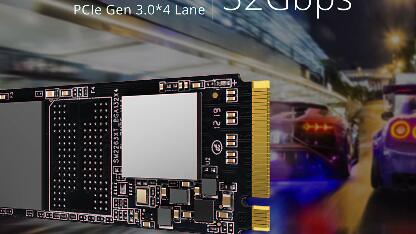
Asura Genesis Xtreme 256GB - PCIe 3.0 RGB NVMe SSD (2026)
Quick answer
The Asura Genesis Xtreme 256 GB is a niche pick - small-brand RGB lighting and a seven-year warranty on a Phison E12 reference design, targeted at PCIe 3.0 builds that want a boot drive with M.2-slot lighting.
Read: 3400 MB/s Write: 3000 MB/s Endurance: 380 TBW Warranty: 7 years Interface: PCIe 3.0 x 4
The Asura Genesis Xtreme 256GB is a small-brand RGB PCIe 3.0 NVMe built on the Phison PS5012-E12 controller and 64-layer Toshiba BiCS3 TLC NAND - notable mainly for its seven-year warranty and onboard RGB lighting at a 256 GB boot-drive capacity.
Controller & Memory
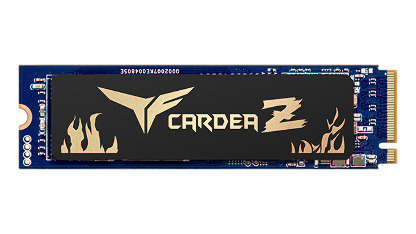
The Asura Genesis Xtreme 256 GB is a Phison E12 reference design with the controller's signature DDR4 DRAM cache, 64-layer Toshiba BiCS3 3D TLC NAND, and a slim PCB that ships with a magnetic modular heatsink and onboard RGB lighting strip. The drive is sold under the Team Asura brand - a small importer that re-packages Phison E12 reference SSDs with RGB and an aggressive warranty offer rather than developing its own silicon. The underlying platform is the same as the early Sabrent Rocket NVMe, Corsair MP510, and Silicon Power P34A80 of the same era, so the engineering is mature and well-characterised; what differs is firmware tuning, NAND binning, and retail support.
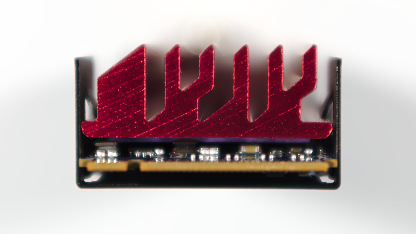
Asura ships the Genesis Xtreme in 256 GB, 512 GB, 1 TB, and 2 TB capacities. The 256 GB SKU on this page is the entry capacity in the line, intended for boot and OS-drive use cases on PCIe 3.0 desktops. Sequential speeds on the 256 GB tier are lower than the larger siblings because the Phison E12 has fewer NAND dies to parallelise across - typical of an eight-channel controller running at one or two dies per channel. The drive supports TCG Opal, TCG Pyrite, and AES-256 hardware encryption, plus a magnetic heatsink that lifts off for thin laptops or stays on for desktop builds.
The Genesis Xtreme 256 GB targets RGB-build enthusiasts who want lighting in their M.2 slot and budget shoppers who want a long warranty on a boot drive. Its direct rivals at this capacity are the Samsung 970 EVO Plus 250 GB (faster, better software, no RGB), the WD Blue SN570 250 GB (PCIe 3.0 DRAM-less, cheaper), and the Crucial P3 250 GB (PCIe 3.0 budget option). Within that field the Asura is the niche RGB pick rather than the value or performance pick. The seven-year warranty is the longest in the 256 GB segment.
Storage Comparisons:
Genesis Xtreme Performance & Benchmarks
Manufacturer ratings on the 256 GB Genesis Xtreme list sequential reads of around 3,400 MB/s and writes near 3,000 MB/s, with random IOPS rated around 645,000 each in the published advertising. Independent listings such as the TechPowerUp SSD Database record materially lower capacity-specific values for the 256 GB tier - closer to 3,050 MB/s reads, 1,030 MB/s writes, and 170,000 / 235,000 IOPS - which is more typical of a Phison E12 design with only two or three NAND dies per channel populated. The discrepancy reflects manufacturer marketing using the line's flagship peak rather than the 256 GB tier's actual capacity-specific limits.
Asura Genesis Xtreme 256 GB vs PCIe 3.0 x 4 peers
Switch between sequential throughput and random IOPS to see how this drive stacks up against other PCIe 3.0 x 4 SSDs in our database. The highlighted bar is the drive on this page — click any other bar to open that drive.
- Asura Genesis Xtreme 256 GB (this drive): 3,400 MB/s read, 3,000 MB/s write
- Asura Genesis Xtreme 512 GB: 3,400 MB/s read, 3,000 MB/s write
- Asura Genesis Xtreme 1 TB: 3,400 MB/s read, 3,000 MB/s write
- Asura Genesis Xtreme 2 TB: 3,400 MB/s read, 3,000 MB/s write
- Drevo D1 Xtreme 256 GB: 3,100 MB/s read, 1,600 MB/s write
Real-world responsiveness on the 256 GB is fine for an OS or boot role. Game level loads, application launches, and Windows responsiveness all feel snappy compared to a SATA SSD; the dedicated DRAM keeps random-read latency low even under multitasking pressure. Sustained writes are the weak point - reviewers consistently flag the 256 GB Phison E12 platform as falling into TLC direct-write rates after roughly 30-50 GB of continuous transfer, well below the SLC-cached burst speed. For large file copies use a 1 TB or 2 TB drive of the same platform; for boot, applications, and modest gaming the 256 GB Asura is adequate. DirectStorage operates at PCIe 3.0 speeds, well below what current PCIe 4.0 drives deliver.
Asura Genesis Xtreme vs Competitors
See how the Genesis Xtreme stacks up against other PCIe 3.0 x 4 drives in our database:
Compare with rival drives:
Endurance, TBW & Warranty
Asura backs the Genesis Xtreme 256 GB with a seven-year limited warranty - the longest in this comparison set, exceeding even the standard five-year Samsung, WD, and Crucial coverage. The drive's published endurance figure is approximately 380 TBW (terabytes written) at 256 GB. At a typical 10-20 GB/day desktop write workload that budget lasts roughly 50-100 years, well past any realistic service life, and the seven-year warranty will lapse first. The published MTBF is 1.8 million hours, a population statistic across a fleet rather than a per-drive promise. Asura's RMA channel runs through Team Asura's own support process - the company is small and less responsive than tier-one brands, so document the serial number and original purchase receipt carefully. The seven-year warranty is meaningful only if the brand remains in business; consider that risk for any long-life build.
Asura Genesis Xtreme 256 GB Specifications
| Category | Value |
|---|---|
| Capacity [?] | 256 GB |
| Interface [?] | PCIe 3.0 x 4 |
| Controller [?] | Phison PS5012-E12 |
| Memory type [?] | Toshiba 64-L TLC |
| DRAM [?] | Yes |
| Read speed (MB/s) [?] | 3400 |
| Write speed (MB/s) [?] | 3000 |
| Read IOPS [?] | 645000 |
| Write IOPS [?] | 645000 |
| Endurance (TBW) [?] | 380 |
| MTBF (million hours) [?] | 1.8 |
| Warranty (years) [?] | 7 |
Verdict: Is the Genesis Xtreme Worth It in 2026?
The Asura Genesis Xtreme 256 GB is a niche pick - small-brand RGB lighting and a seven-year warranty on a Phison E12 reference design, targeted at PCIe 3.0 builds that want a boot drive with M.2-slot lighting. Anyone who can use a current PCIe 4.0 drive should look at the WD Black SN770 1 TB or Samsung 980 1 TB at slightly higher capacities for materially better performance and stronger long-term support. Skip the Genesis Xtreme 256 GB if you need a primary storage drive for games or media; 256 GB is genuinely too small for modern game libraries. As an RGB-themed boot drive on a 2018-2020 PCIe 3.0 build, the Asura serves a small but real audience.
+ Pros
- 7-year warranty, longest in 256 GB segment
- Onboard RGB lighting strip
- Phison PS5012-E12 controller with DRAM cache
- TCG Opal, Pyrite and AES-256 encryption
- Magnetic modular heatsink included
- 1.8 million-hour MTBF rating
- Cons
- 256 GB capacity too small for modern game libraries
- Sequential writes much lower than larger siblings
- PCIe 3.0 only, one generation behind current drives
- Small brand with weaker RMA channel than Samsung or WD
- Toshiba 64-layer BiCS3 NAND now superseded by 112-176 layer designs
- Limited retail availability outside North America and UK
Buy this or similar SSD Storage:



Video Review
This RGB SSD Is NUTS!