HP EX900 120 GB Review — Entry PCIe 3.0 NVMe SSD (2026)
Quick answer
The HP EX900 120 GB is the right pick if you specifically need a cheap NVMe boot drive for a budget build or an older laptop with an M.2 slot, and you understand that the 120 GB ceiling and 650 MB/s rated writes are the trade.
Read: 1900 MB/s Write: 650 MB/s Endurance: 70 TBW Warranty: 3 years Interface: M.2 3.0 x 4
The HP EX900 120 GB is a budget DRAM-less PCIe 3.0 NVMe drive aimed at SATA upgraders — fast enough for boot duty, but its 650 MB/s rated writes are the giveaway.
Controller & Memory
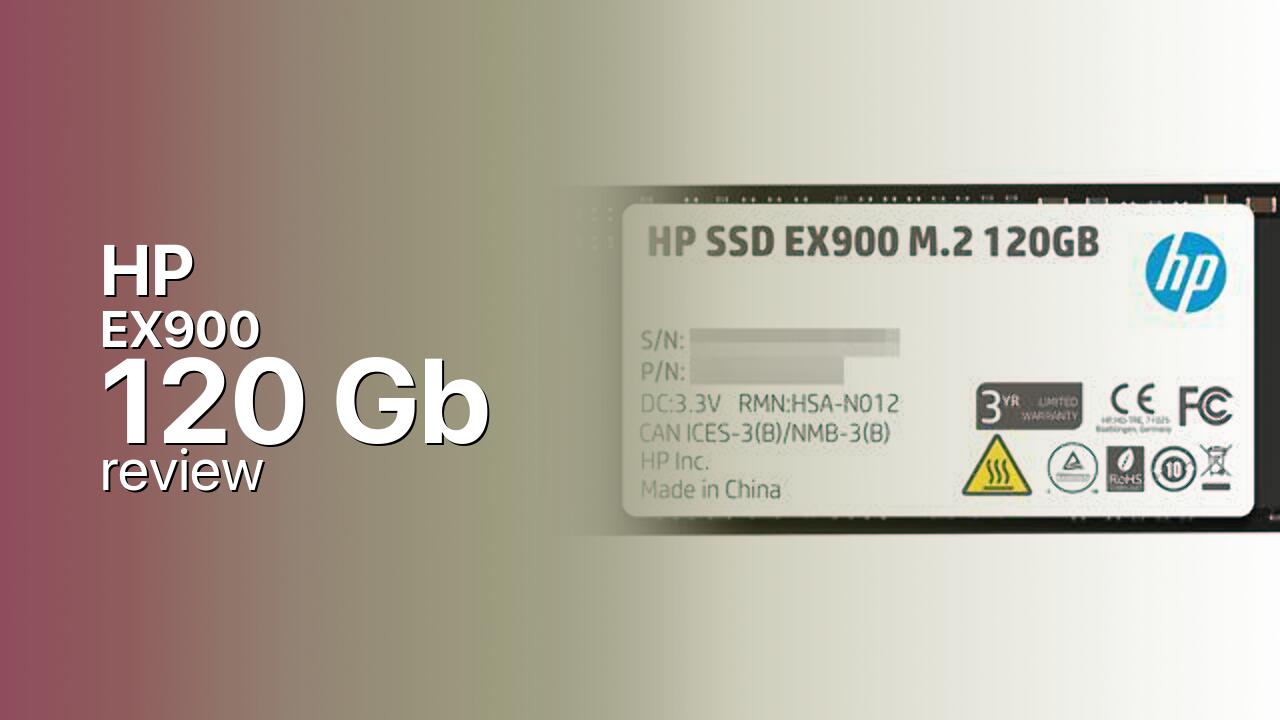
The HP EX900 120 GB is the entry capacity of HP’s mainstream consumer NVMe family, built around the Silicon Motion SM2263XT — a DRAM-less four-channel controller that leans on Host Memory Buffer (HMB) to borrow a slice of system RAM for its flash-translation-layer map. NAND is Micron 3D TLC arranged across four packages on a single-sided M.2 2280 PCB. The brand on the label is HP, but the drive is manufactured by Biwin under licence, which is why the EX900 family shares a controller and firmware lineage with several other budget Biwin NVMe drives sold under different names.
At 120 GB this is the smallest variant in the family, which also ships in 250 GB, 500 GB and 1 TB capacities. The 120 GB version is the slowest of the lineup, rated at 1,900 MB/s sequential reads and only 650 MB/s sequential writes — meaningfully below the 2,100 MB/s and 1,500 MB/s figures that the 500 GB and 1 TB siblings hit. The smaller NAND pool means a smaller SLC write cache and lower channel parallelism, and HP rates the random IOPS lower at this capacity to match. Direct rivals at the price are the Kingston NV1/NV2 250 GB, the Crucial P1 / P2 entry capacities, and the WD Blue SN570 250 GB — though most modern competitors no longer offer a 120 GB SKU, which makes the EX900 120 GB feel a generation behind even at launch.
The target audience is narrow but real: a Windows-only boot drive in a budget desktop or a re-purposed laptop, where the value of moving from SATA to NVMe matters more than absolute throughput. It is not a fit for a single-drive build that has to hold games, a creator workload, or a PS5 expansion (the EX900 is PCIe 3.0 and well below the PS5’s 5,500 MB/s recommendation regardless of capacity).
Storage Comparisons:
EX900 Performance & Benchmarks
The HP EX900 120 GB is rated for up to 1,900 MB/s sequential reads and 650 MB/s sequential writes, with random performance of up to 110,000 IOPS read and 110,000 IOPS write. Those numbers are on the low end of the PCIe 3.0 envelope and reflect the combination of a DRAM-less controller, a small NAND pool, and limited channel parallelism at 120 GB. In real-world testing reviewers measure roughly 1,860 MB/s reads and 640 MB/s writes in synthetic sequential runs, which is essentially the rated spec.
HP EX900 120 GB vs M.2 3.0 x 4 peers
Switch between sequential throughput and random IOPS to see how this drive stacks up against other M.2 3.0 x 4 SSDs in our database. The highlighted bar is the drive on this page — click any other bar to open that drive.
- ADATA SX 8800 Pro 512 GB: 3,500 MB/s read, 2,700 MB/s write
- ADATA SX 8800 Pro 1 TB: 3,500 MB/s read, 2,700 MB/s write
- ADATA XPG Spectrix S40G RGB 256 GB: 3,500 MB/s read, 3,000 MB/s write
- ADATA XPG Spectrix S40G RGB 512 GB: 3,500 MB/s read, 3,000 MB/s write
- HP EX900 120 GB (this drive): 1,900 MB/s read, 650 MB/s write
The practical experience is that the EX900 120 GB feels noticeably faster than any SATA SSD on application launches, OS boot times, and small-file reads, but it does not feel like a modern NVMe drive once you start writing. Large game installs and Windows updates that push more than a few gigabytes of contiguous writes are the workloads where the small SLC cache exhausts and writes drop further, and the absence of dedicated DRAM is visible in mixed-workload IOPS the moment the HMB region cannot cover the active address space. For an OS-only boot disk on a 120 GB partition, none of this matters; for anything more ambitious it does.
HP EX900 vs Competitors
See how the EX900 stacks up against other M.2 3.0 x 4 drives in our database:
Compare with rival drives:
Endurance, TBW & Warranty
HP rates the EX900 120 GB at 70 TBW (terabytes written) over a 3-year limited warranty, whichever limit is reached first. That endurance figure is modest in absolute terms but proportional to the capacity, and works out to roughly 64 GB of host writes per day for the full three-year period — well above what a Windows boot drive actually generates. At a typical 20 GB/day workload the rated 70 TBW corresponds to roughly nine and a half years of nominal life before the counter is exhausted, comfortably outliving the warranty window. HP publishes an MTBF figure of 2 million hours, which is a statistical population metric rather than a guaranteed lifespan for any individual drive. Warranty service is handled via HP / Biwin RMA with proof of purchase. The TBW scales with capacity: 150 TBW at 250 GB and 250 TBW at 500 GB.
HP EX900 120 GB Specifications
| Category | Value |
|---|---|
| Capacity [?] | 120 GB |
| Interface [?] | M.2 3.0 x 4 |
| Controller [?] | Silicon Motion SM2263XT |
| Memory type [?] | Micron TLC |
| DRAM [?] | HMB |
| Read speed (MB/s) [?] | 1900 |
| Write speed (MB/s) [?] | 650 |
| Read IOPS [?] | 120000 |
| Write IOPS [?] | 108000 |
| Endurance (TBW) [?] | 70 |
| MTBF (million hours) [?] | 2 |
| Warranty (years) [?] | 3 |
Verdict: Is the EX900 Worth It in 2026?
The HP EX900 120 GB is the right pick if you specifically need a cheap NVMe boot drive for a budget build or an older laptop with an M.2 slot, and you understand that the 120 GB ceiling and 650 MB/s rated writes are the trade. Skip it if a 250 GB or 500 GB capacity is within your budget, because the EX900 itself becomes meaningfully faster at those sizes and the price-per-gigabyte at 120 GB is no longer competitive against entry 250 GB drives. The closer alternative for a modern budget NVMe boot drive is the WD Blue SN570 250 GB or a Crucial P3 500 GB, both of which deliver real-NVMe sustained speeds at a similar street price. As a pure SATA-to-NVMe upgrade for a single-purpose system the EX900 120 GB still does its job, but only just.
+ Pros
- 1,900 MB/s sequential reads on PCIe 3.0
- Cheap entry into NVMe over SATA
- Single-sided M.2 2280 fits any slot
- 70 TBW endurance covers boot use
- 3-year warranty with HP / Biwin RMA
- Cons
- 650 MB/s writes lag larger EX900 capacities
- DRAM-less HMB design hurts mixed workloads
- 120 GB ceiling too small for modern Windows
- No PS5 compatibility on PCIe 3.0
- Outclassed by 250 GB entry NVMe rivals
Buy this or similar SSD Storage:
Video Review
Unboxing HP EX900 M.2 120GB NVMe SSD | Best SSD for Laptop