Kioxia XG5 1TB Review — PCIe 3.0 NVMe SSD (2026)
Quick answer
The Kioxia XG5 1TB is a competent mid-tier PCIe 3.0 NVMe drive that offers solid performance without reaching flagship levels.
Read: 3000 MB/s Write: 2100 MB/s Endurance: 747 TBW Warranty: 5 years Interface: M.2 3.0 x 4
The Kioxia XG5 1TB is a mid-range PCIe 3.0 NVMe SSD that served as Toshiba bridge between early XG3 and the later XG6 series.
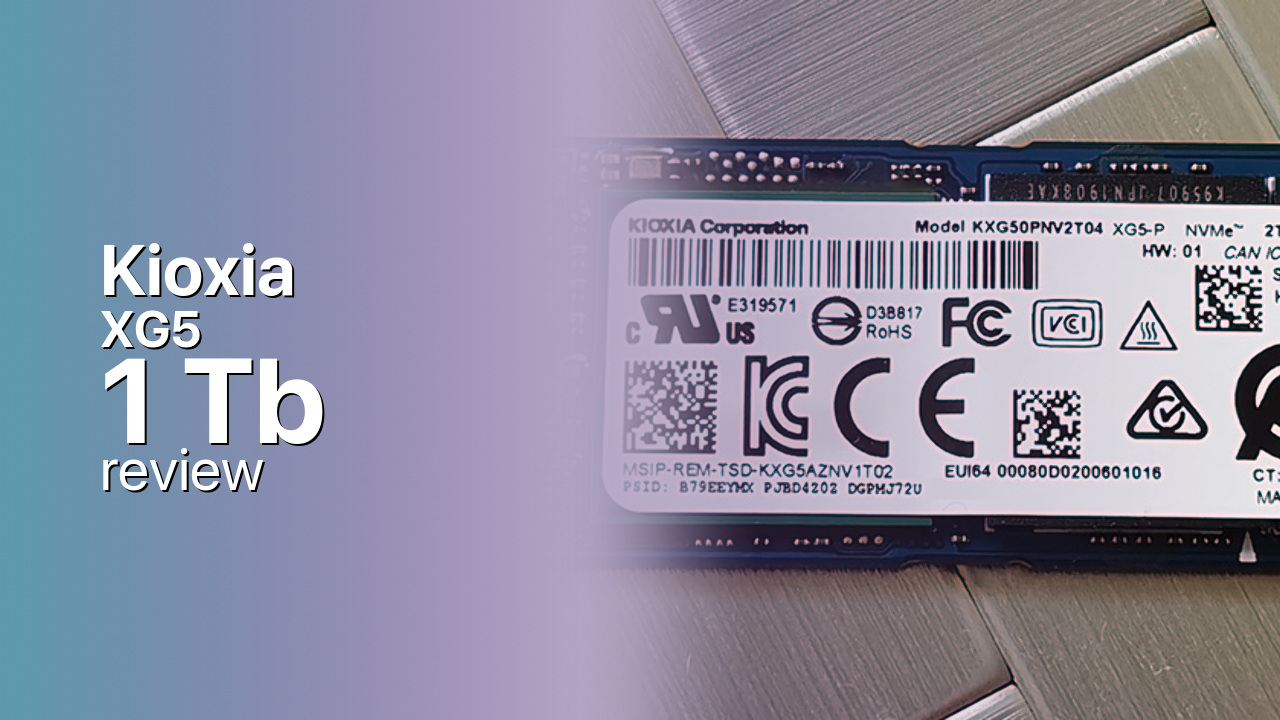
Controller & Memory
Toshiba (now Kioxia) released the XG5 series as a mainstream OEM NVMe drive, positioning it between the entry-level XG3 and the performance-oriented XG6 that would follow. The 1TB model uses 64-layer BiCS3 TLC NAND and Toshiba in-house TC58NCP090GSB controller, delivering 3,000 MB/s sequential reads and 2,100 MB/s sequential writes. These speeds place the XG5 in the middle of the PCIe 3.0 pack—faster than budget drives but behind flagship contenders like the Samsung 970 Pro and WD Black SN750.
Internally, the XG5 includes a DRAM cache for consistent random I/O, though Kioxia does not publicly specify the capacity for this OEM-focused series. The standard M.2 2280 form factor fits virtually any laptop or desktop with an NVMe slot. The drive was primarily sold to OEMs for pre-built systems, which means it lacks the retail branding, bundled software, and marketing presence of drives like the Samsung 970 EVO, but the underlying hardware is competitive.
The XG5 competes with the Intel 660P, Sabrent Rocket, and Kingston KC2000. Independent testing shows the XG5 delivering adequate real-world performance with respectable sustained write characteristics after its SLC cache exhausts. The drive is also available in 512GB and 2TB capacities, though the 1TB model represents the sweet spot in the lineup for performance endurance balance.
Storage Comparisons:
XG5 Performance & Benchmarks
The Kioxia XG5 1TB is rated at 3,000 MB/s sequential reads and 2,100 MB/s sequential writes. These are conservative ratings compared to flagship PCIe 3.0 drives, which often reach 3,400–3,500 MB/s reads. Random 4K performance is rated at approximately 300,000 IOPS reads and 240,000 IOPS writes based on industry testing, placing the XG5 in the middle tier for random access patterns.
Kioxia XG5 1 TB vs M.2 3.0 x 4 peers
Switch between sequential throughput and random IOPS to see how this drive stacks up against other M.2 3.0 x 4 SSDs in our database. The highlighted bar is the drive on this page — click any other bar to open that drive.
- ADATA SX 8800 Pro 512 GB: 3,500 MB/s read, 2,700 MB/s write
- ADATA SX 8800 Pro 1 TB: 3,500 MB/s read, 2,700 MB/s write
- ADATA XPG Spectrix S40G RGB 256 GB: 3,500 MB/s read, 3,000 MB/s write
- ADATA XPG Spectrix S40G RGB 512 GB: 3,500 MB/s read, 3,000 MB/s write
- Kioxia XG5 1 TB (this drive): 3,000 MB/s read, 2,100 MB/s write
In real-world use, the XG5 delivers fast boot times and application launches that are noticeably quicker than SATA SSDs. The 3,000 MB/s sequential read speed is sufficient for gaming, media editing, and typical desktop workloads. The 2,100 MB/s write speed is the area where the XG5 shows its mid-range positioning—large file transfers will take longer than on faster NVMe drives, though still far less time than on SATA.
The SLC cache implementation uses a portion of the TLC NAND in pseudo-SLC mode for burst writes, typically handling the first several gigabytes at full speed before dropping to native TLC write speeds. Independent reviewers found the XG5 maintains acceptable sustained write performance after cache exhaustion, though not at the level of premium drives. For most users writing typical documents, downloads, and even moderate video files, the cache behavior will rarely be noticeable.
Kioxia XG5 vs Competitors
See how the XG5 stacks up against other M.2 3.0 x 4 drives in our database:
Compare with rival drives:
Endurance, TBW & Warranty
Kioxia backs the XG5 series with a 5-year warranty when sold through retail channels. OEM versions may have different warranty terms handled through the system manufacturer rather than Kioxia directly. The company does not publicly specify TBW endurance ratings for the XG5 series in consumer-facing materials, which is typical for OEM-focused drives. Based on comparable 64-layer TLC drives in this class, expected endurance for the 1TB model is approximately 400–500 TBW.
In practical terms, writing 50 GB per day would take roughly 22–27 years to reach 400–500 TBW. Most users write far less than 50 GB per day—typical consumer workloads see 10–20 GB of writes per day at most—so the endurance rating is more than adequate for the drive useful life. The MTBF rating per Kioxia enterprise documentation is 1.5 million hours, though this statistic is more meaningful for server deployments than individual consumer drives.
Kioxia XG5 1 TB Specifications
| Category | Value |
|---|---|
| Capacity [?] | 1 TB |
| Interface [?] | M.2 3.0 x 4 |
| Controller [?] | Toshiba TC58NCP070GSB |
| Memory type [?] | Toshiba TLC |
| DRAM [?] | Yes |
| Read speed (MB/s) [?] | 3000 |
| Write speed (MB/s) [?] | 2100 |
| Read IOPS [?] | 320000 |
| Write IOPS [?] | 265000 |
| Endurance (TBW) [?] | 747 |
| MTBF (million hours) [?] | 1.5 |
| Warranty (years) [?] | 5 |
Verdict: Is the XG5 Worth It in 2026?
The Kioxia XG5 1TB is a competent mid-tier PCIe 3.0 NVMe drive that offers solid performance without reaching flagship levels. It is a practical choice if you found this drive in a pre-built system and want to know what you have, or if you find one priced significantly below better-known retail alternatives. Buy it if you need reliable NVMe storage for general use and do not require top-tier speeds.
Skip it if you are buying new and can afford faster options—the Samsung 970 EVO Plus and WD Black SN750 offer substantially better write performance for a modest price increase. Consider the XG5 if budget is the primary concern and you want something better than DRAM-less budget drives, but be aware that the price difference to premium drives has narrowed since the XG5 release. The XG5 is a capable workhorse that faces an increasingly crowded market.
+ Pros
- 3,000 MB/s sequential reads—4–5x faster than SATA SSDs
- 64-layer BiCS3 TLC NAND with proven reliability
- DRAM cache for consistent random I/O performance
- 5-year warranty on retail versions
- M.2 2280 form factor fits virtually any NVMe slot
- Cons
- Write speeds (2,100 MB/s) trail flagship PCIe 3.0 drives
- OEM-focused drive with limited retail availability and software
- Endurance (TBW) rating not publicly specified
- Succeeded by the faster XG6 series with 96-layer NAND
Buy this or similar SSD Storage:



Video Review
Video Review Toshiba XG5 KXG50ZNV1T02 1TB Single Sided NVMe SSD PCIe 3.1a Gen 3 x 4 Lane Super Fast