Kioxia Exceria Pro G2 1TB PCIe 5.0 NVMe SSD Review (2026)
Quick answer
The 1 TB Kioxia Exceria Pro G2 is a genuine PCIe 5.0 flagship that delivers modern SM2508 plus BiCS8 TLC performance at the line's lowest entry price, and it does so while running cooler than most of its Gen5 rivals.
Read: 14400 MB/s Write: 12700 MB/s Endurance: 600 TBW Warranty: 5 years Interface: M.2 5.0 x 4
The 1 TB Kioxia Exceria Pro G2 delivers flagship PCIe 5.0 performance, pairing a Silicon Motion SM2508 controller with 218-layer BiCS8 TLC NAND for up to 14,400 MB/s sequential reads.
Controller & Memory
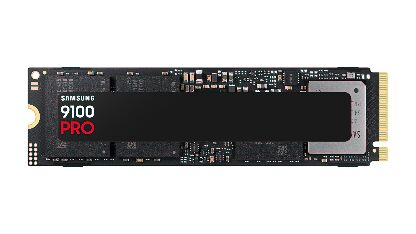
The Exceria Pro G2 is Kioxia's fastest consumer NVMe SSD and its first true PCIe 5.0 flagship under the Exceria Pro badge. Where earlier Exceria Pro drives capped at PCIe 4.0 and 2 TB, the G2 moves to the Gen5 platform and adds a 4 TB option, putting it up against established Gen5 drives such as the Crucial T705 and Samsung 9100 Pro. The 1 TB model is the entry point, and unlike the 2 TB and 4 TB cards it trades a little peak speed for a lower price.
At the heart of the drive sits Silicon Motion's SM2508, an 8-channel PCIe 5.0 controller, backed by Kioxia's own 218-layer BiCS8 3D TLC NAND and an LPDDR4 DRAM cache. That combination is what lets even the 1 TB card reach 14,400 MB/s sequential reads and around two million random read IOPS, numbers that would have been server-class only a few generations ago. TLC NAND, rather than QLC, is what keeps sustained writes and long-term reliability honest.
What sets the Pro G2 apart from many early Gen5 drives is efficiency. Multiple reviewers note it runs surprisingly cool for the platform, holding together in cases with ordinary airflow instead of demanding a dedicated heatsink and fan. For a 1 TB Gen5 card that matters, because the whole point of stepping up from a cheaper Gen4 drive is genuine headroom, not a thermal throttle after a few seconds of copy work.
Storage Comparisons:
Exceria Pro G2 Performance & Benchmarks
On paper the 1 TB Exceria Pro G2 is rated for 14,400 MB/s sequential reads and 12,700 MB/s writes, with around 2,000,000 random read and 1,900,000 random write IOPS. In daily use that sequential headroom shows up most when moving large files, game installs, video assets or virtual machine images. For ordinary booting, browsing and gaming the gap to a good PCIe 4.0 drive is smaller than the raw numbers suggest, because those workloads are rarely sequential. Where Gen5 earns its keep is sustained throughput and high-queue-depth random performance, the conditions DirectStorage-era games and content tools are starting to lean on. Reviewers measuring the Pro G2 family confirm it reaches its advertised sequential figures while staying efficient on power and heat, which is what lets it keep performing instead of throttling under sustained loads. The 1 TB card's slightly lower peak than the 2 TB and 4 TB models is the trade-off for the lower entry price, but it still lands well clear of any Gen4 part.
Kioxia Exceria Pro G2 1 TB vs M.2 5.0 x 4 peers
Switch between sequential throughput and random IOPS to see how this drive stacks up against other M.2 5.0 x 4 SSDs in our database. The highlighted bar is the drive on this page — click any other bar to open that drive.
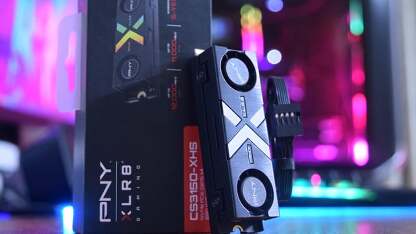
- Kioxia Exceria Pro G2 2 TB: 14,900 MB/s read, 13,400 MB/s write
- Kioxia Exceria Pro G2 4 TB: 14,900 MB/s read, 13,700 MB/s write
- PNY XLR8 CS3250 1 TB: 14,900 MB/s read, 13,500 MB/s write
- PNY XLR8 CS3250 2 TB: 14,900 MB/s read, 14,000 MB/s write
- Kioxia Exceria Pro G2 1 TB (this drive): 14,400 MB/s read, 12,700 MB/s write
Kioxia Exceria Pro G2 vs Competitors
See how the Exceria Pro G2 stacks up against other M.2 5.0 x 4 drives in our database:
Compare with rival drives:
Endurance, TBW & Warranty
The 1 TB Exceria Pro G2 carries a 600 TBW endurance rating and a 5-year limited warranty, with the warranty being the binding limit for almost every buyer. Six hundred terabytes written works out to roughly 330 GB of writes every single day for five years, thousands of times a typical consumer workload of 20 to 50 GB a day. At 50 GB per day you would need around 33 years to exhaust the rated endurance, so the NAND will outlast the warranty by a wide margin and endurance is not a realistic concern for a gaming or creator PC. Kioxia covers the drive for five years from purchase, and as a major manufacturer RMAs are handled through Kioxia or the retailer rather than an anonymous marketplace seller, which matters when you are trusting a drive with years of data. Keep your proof of purchase and register the drive if prompted.
Kioxia Exceria Pro G2 1 TB Specifications
| Category | Value |
|---|---|
| Capacity [?] | 1 TB |
| Interface [?] | M.2 5.0 x 4 |
| Controller [?] | Silicon Motion SM2508 8 Channel |
| Memory type [?] | Kioxia BiCS8 218-L 3D TLC |
| DRAM [?] | Yes |
| Read speed (MB/s) [?] | 14400 |
| Write speed (MB/s) [?] | 12700 |
| Read IOPS [?] | 2000000 |
| Write IOPS [?] | 1900000 |
| Endurance (TBW) [?] | 600 |
| MTBF (million hours) [?] | 2000000 |
| Warranty (years) [?] | 5 |
Verdict: Is the Exceria Pro G2 Worth It in 2026?
The 1 TB Kioxia Exceria Pro G2 is a genuine PCIe 5.0 flagship that delivers modern SM2508 plus BiCS8 TLC performance at the line's lowest entry price, and it does so while running cooler than most of its Gen5 rivals. It is the right pick if you want a future-proof Gen5 boot drive on a newer AM5 or Intel platform and you do not need 2 TB or more of fast storage. Skip it if your motherboard only has PCIe 4.0 slots, because the drive will run but you will pay for Gen5 headroom you cannot use, or if you need maximum capacity, in which case the 2 TB and 4 TB models unlock the full 14,900 MB/s read speed the 1 TB slightly trades away.
+ Pros
- PCIe 5.0 flagship speeds up to 14,400 MB/s read
- Silicon Motion SM2508 controller with BiCS8 218L TLC
- LPDDR4 DRAM cache
- Runs cool for a Gen5 drive
- 5-year warranty
- Lowest price in the Exceria Pro G2 line
- Cons
- Premium price for 1 TB of Gen5 storage
- Needs a PCIe 5.0 platform to justify the speed
- Lower peak speed than the 2 TB and 4 TB models
Buy this or similar SSD Storage:



Video Review
Kioxia Exceria Pro G2 PCIe 5.0 NVMe SSD video review