Transcend PCIe SSD 110S 256GB Review (2026)
Quick answer
The Transcend PCIe SSD 110S 256GB is a straightforward budget NVMe boot drive that gets the job done without frills.
Read: 1700 MB/s Write: 1500 MB/s Endurance: 800 TBW Warranty: 5 years Interface: PCIe 3.0 x 4
The Transcend PCIe SSD 110S 256GB is a budget NVMe boot drive that offers faster-than-SATA speeds in the smallest practical capacity for a Windows installation.
Controller & Memory
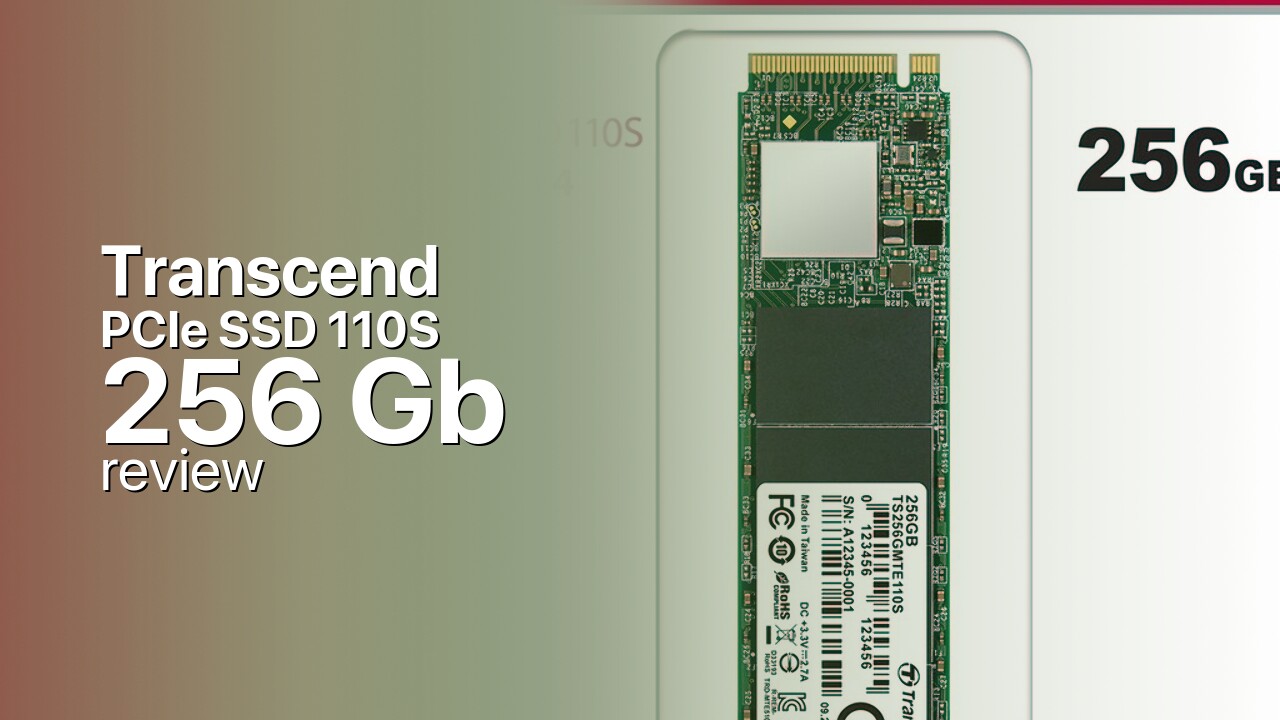
Transcend positions the PCIe SSD 110S (also marketed as MTE110S) as an entry-level NVMe drive. The 256GB capacity is the middle option in the lineup, sitting between 128GB and 512GB variants. All three share the same 1,700 MB/s read and 1,500 MB/s write ratings, which is unusual for budget drives that typically reduce write speeds on smaller capacities.
The 110S uses a DRAM-less controller that relies on the NVMe Host Memory Buffer (HMB) to manage flash translation tables. This keeps costs down while maintaining acceptable performance for everyday tasks. The drive uses 3D NAND in the M.2 2280 single-sided form factor, compatible with virtually any laptop or desktop with an NVMe slot.
The 256GB capacity is best suited as a dedicated boot and application drive. Windows 11 consumes 80-100 GB, leaving roughly 130-150 GB for applications and a small number of games. Users needing more than basic application storage should consider the 512GB model or plan for a secondary drive for games and media. The endurance is rated at 800 TBW with a 5-year warranty.
Storage Comparisons:
PCIe SSD 110S Performance & Benchmarks
The Transcend PCIe SSD 110S 256GB is rated at 1,700 MB/s sequential reads and 1,500 MB/s sequential writes. These speeds represent a 3x improvement over SATA SSDs in sequential throughput but fall well short of premium PCIe 3.0 drives that reach 3,000-3,500 MB/s. The 256GB capacity maintains the same speed ratings as the 512GB model, which is a positive for buyers who need fast reads in a smaller form factor.
Transcend PCIe SSD 110S 256 GB vs PCIe 3.0 x 4 peers
Switch between sequential throughput and random IOPS to see how this drive stacks up against other PCIe 3.0 x 4 SSDs in our database. The highlighted bar is the drive on this page — click any other bar to open that drive.
- Asura Genesis Xtreme 256 GB: 3,400 MB/s read, 3,000 MB/s write
- Asura Genesis Xtreme 512 GB: 3,400 MB/s read, 3,000 MB/s write
- Asura Genesis Xtreme 1 TB: 3,400 MB/s read, 3,000 MB/s write
- Asura Genesis Xtreme 2 TB: 3,400 MB/s read, 3,000 MB/s write
- Transcend PCIe SSD 110S 256 GB (this drive): 1,700 MB/s read, 1,500 MB/s write
As a DRAM-less drive, the 110S relies on the Host Memory Buffer for mapping table management. Random 4K performance is serviceable for boot drive workloads like OS loading, application launches, and web browsing. Under heavy multitasking or sustained random write loads, the lack of dedicated DRAM becomes more apparent compared to drives with full DRAM caches. The SLC cache layer handles typical write bursts before transitioning to native NAND speeds.
For users upgrading from a SATA SSD, the 110S 256GB delivers noticeably faster boot times and file operations. The NVMe advantage over SATA is most visible during Windows updates, application installations, and large file copies. However, the 256GB capacity limits how many large file operations you can perform in practice.
Transcend PCIe SSD 110S vs Competitors
See how the PCIe SSD 110S stacks up against other PCIe 3.0 x 4 drives in our database:
Compare with rival drives:
Endurance, TBW & Warranty
Transcend backs the PCIe SSD 110S series with a 5-year limited warranty. The 256GB model carries the same 800 TBW endurance rating as larger capacities, which is generous for this capacity tier. In practice, writing 20 GB per day would take over 100 years to reach 800 TBW. Even aggressive use patterns would not approach this limit within the warranty period.
The drive includes S.M.A.R.T. health monitoring and wear-leveling to distribute writes evenly. Transcend provides a warranty service portal on its website for regional RMA requests. Given the 256GB capacity, most users will outgrow the drive due to space constraints long before endurance becomes a concern.
Transcend PCIe SSD 110S 256 GB Specifications
| Category | Value |
|---|---|
| Capacity [?] | 256 GB |
| Interface [?] | PCIe 3.0 x 4 |
| Controller [?] | Silicon Motion SM2263XT |
| Memory type [?] | MLC |
| DRAM [?] | HMB |
| Read speed (MB/s) [?] | 1700 |
| Write speed (MB/s) [?] | 1500 |
| Read IOPS [?] | 90000 |
| Write IOPS [?] | 250000 |
| Endurance (TBW) [?] | 800 |
| MTBF (million hours) [?] | 2000000 |
| Warranty (years) [?] | 5 |
Verdict: Is the PCIe SSD 110S Worth It in 2026?
The Transcend PCIe SSD 110S 256GB is a straightforward budget NVMe boot drive that gets the job done without frills. The 1,700/1,500 MB/s speeds are a clear upgrade over SATA, and the 256GB capacity is the minimum comfortable size for a Windows 11 boot drive. Buy it if you need the cheapest NVMe boot drive available and already have secondary storage for games and media.
Skip it if you can afford the 512GB model, which offers more usable space for a modest price increase. Also consider alternatives like the Kingston NV2 250GB or WD Blue SN580 250GB, which offer comparable or better performance in the same price segment. The 110S 256GB is best viewed as a basic component upgrade for existing systems rather than a primary drive for new builds.
+ Pros
- 1,700 MB/s reads, 1,500 MB/s writes — 3x faster than SATA
- Same speed ratings as the 512GB model
- 800 TBW endurance generous for 256GB tier
- M.2 2280 single-sided form factor fits laptops
- 5-year warranty
- Cons
- DRAM-less design limits random I/O performance
- 256GB tight for Windows 11 plus applications
- Entry-level NVMe performance, well below 3,000 MB/s drives
- No included software toolbox
Buy this or similar SSD Storage:



Video Review
Best Budget NVMe SSD? - Transcend MTE220S Review