The Team Group T-Force Z540A 4 TB as the Max-Capacity Gen5 Pick (2026)
Quick answer
Buy the Team Group T-Force Z540A 4 TB for a PCIe 5.0-capable desktop when the workload needs both maximum capacity and the longest sustained-write headroom in the lineup, since the 4 TB carries the family's full 2400 TBW endurance rating and the largest SLC cache, holding peak write speed the longest before dropping to the native Micron TLC rate.
Read: 12400 MB/s Write: 11800 MB/s Endurance: 2400 TBW Warranty: 5 years Interface: M.2 5.0
The Team Group T-Force Z540A 4 TB is the max-capacity top of Team Group's InnoGrit IG5666 Gen5 line, carrying the family's full 2400 TBW endurance and the largest SLC cache.
Controller & Memory
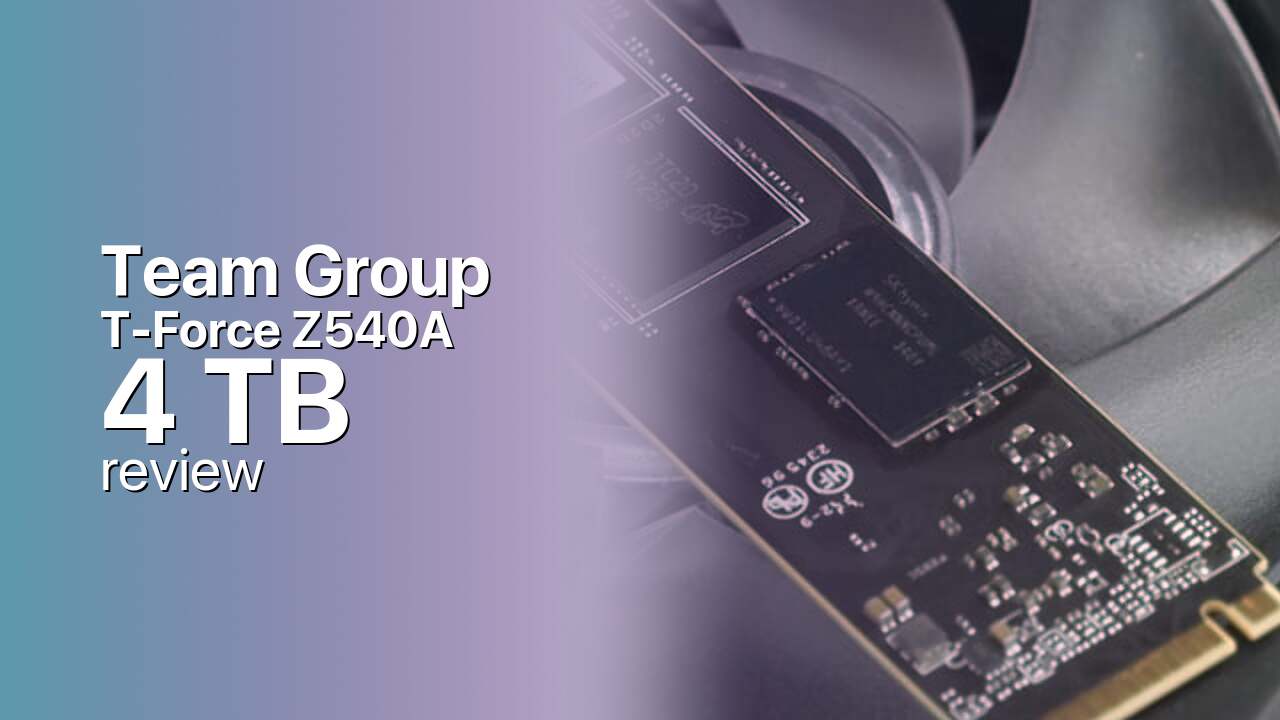
The Team Group T-Force Z540A 4 TB runs the InnoGrit IG5666 variant of Team Group's PCIe 5.0 flagship, swapping the Phison PS5026-E26 of the original Z540 for InnoGrit's eight-channel controller while keeping the same Micron 232-layer TLC NAND and a discrete DRAM buffer. The headline numbers match the Phison sibling: 12,400 MB/s sequential reads, 11,800 MB/s writes, and up to 1.4 million random read IOPS, all over a PCIe 5.0 x4 link on a standard M.2 2280 module. The Z540A is the lower-volume of the two, and unlike the widely reviewed Z540 it has no dedicated English-language reviews yet, so buyers lean on the spec sheet and the InnoGrit IG5666's track record in Team Group's GC Pro and GE Pro.
Team Group sells the Z540A family across 1 TB, 2 TB, and 4 TB, all sharing identical peak read and write speeds, so the top capacity adds no bandwidth over the smaller dies. What scales with capacity is endurance, linearly at roughly 600 TBW per terabyte, and on the 4 TB that lands at the family's full 2400 TBW rating, the 2.4 PBW maximum johnnylucky.org publishes directly. The 4 TB's real capacity-specific advantage is the SLC cache: it is the largest in the line, so under a long contiguous write such as a 4K video render it holds peak speed the longest before settling to the native Micron TLC rate, the workload that most clearly justifies the 4 TB over the cheaper 2 TB. Compatibility is the standard Gen5 story: the drive earns its keep only in a recent AMD 600-series or Intel 700-series desktop with a PCIe 5.0 M.2 slot, is largely wasted in a laptop, and runs at half speed in a PlayStation 5, whose expansion slot is PCIe 4.0. Like every IG5666 and E26 drive, the Z540A ships bare with no heatsink in the box, and InnoGrit's Gen5 silicon runs hot enough under sustained writes that motherboard heatsink coverage is close to mandatory.
The closest rivals are the Phison-E26 Z540 sibling itself, which carries an actual independent review record, plus the Crucial T700 and Seagate FireCuda 540 on the same Gen5 tier; anyone not chasing synthetic bandwidth gets matching real-world game load times from a cheaper PCIe 4.0 drive such as the Samsung 990 Pro. Where the 4 TB earns its place is write-heavy creator and scratch-disk work where capacity and sustained-write headroom both matter.
Storage Comparisons:
T-Force Z540A Performance & Benchmarks
On the 4 TB T-Force Z540A, sequential reads are rated at 12,400 MB/s and writes at 11,800 MB/s over a PCIe 5.0 x4 link, with random performance rated up to 1,400,000 read IOPS and 1,500,000 write IOPS. Those are mainstream Gen5 numbers, within a few percent of the Phison-E26 Z540 sibling and broadly in line with what the InnoGrit IG5666 delivers in Team Group's GC Pro and GE Pro, which share the same controller.
Team Group T-Force Z540A 4 TB vs M.2 5.0 peers
Switch between sequential throughput and random IOPS to see how this drive stacks up against other M.2 5.0 SSDs in our database. The highlighted bar is the drive on this page — click any other bar to open that drive.
- Corsair MP700 Pro XT 1 TB: 14,900 MB/s read, 14,200 MB/s write
- Corsair MP700 Pro XT 2 TB: 14,900 MB/s read, 14,500 MB/s write
- Corsair MP700 Pro XT 4 TB: 14,900 MB/s read, 14,400 MB/s write
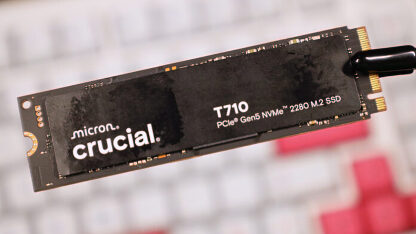
- Crucial T710 1 TB: 14,900 MB/s read, 13,800 MB/s write
- Team Group T-Force Z540A 4 TB (this drive): 12,400 MB/s read, 11,800 MB/s write
In daily use the leap over PCIe 4.0 is real on paper and modest in practice. Game load times, usually bounded by the CPU and asset decompression rather than storage, barely move against a Samsung 990 Pro or WD Black SN850X. Where 12,400 MB/s earns its keep is on large sequential workloads: moving a 100 GB project folder, scrubbing 4K footage in a video editor, or feeding DirectStorage-enabled titles that stream textures straight from the SSD. Like every Gen5 drive, the Z540A leans on an SLC cache that absorbs writes at full speed until it fills, after which writes settle to the native Micron TLC rate and can fall further if the controller thermal-throttles. The 4 TB carries the largest cache in the line, so under a long contiguous write such as a 4K video render or a large image export it holds burst speed the longest before dropping out, which is the main reason a write-heavy creator workload justifies the 4 TB over the 2 TB. No independent benchmarks of the Z540A specifically exist at research time, so the honest summary is competent mainstream Gen5 rather than chart-topping.
Team Group T-Force Z540A vs Competitors
See how the T-Force Z540A stacks up against other M.2 5.0 drives in our database:
Compare with rival drives:
Endurance, TBW & Warranty
Team Group covers the T-Force Z540A 4 TB with a five-year limited warranty, ending early only if the 2400 TBW endurance rating is exceeded, whichever comes first. That 2400 TBW figure is the top of a lineup that scales from 600 TBW on the 1 TB through 1200 TBW on the 2 TB to 2400 TBW on the 4 TB, holding roughly 600 TBW per terabyte of Micron 232-layer TLC, and it is the value johnnylucky.org publishes directly as 2.4 PBW for the family's maximum capacity. At a typical consumer workload of around 20 GB of writes per day, the drive would need more than 300 years to exhaust the NAND, so in practice the warranty term expires long before the flash does; even a heavier 50 GB-per-day routine still clears more than a century. Team Group rates the drive at up to two million hours MTBF, but treat that figure as a population-reliability statistic describing expected failures across a large fleet, not a lifespan guarantee for any single unit.
Team Group T-Force Z540A 4 TB Specifications
| Category | Value |
|---|---|
| Capacity [?] | 4 TB |
| Interface [?] | M.2 5.0 |
| Controller [?] | InnoGrit IG5666<8 Channel |
| Memory type [?] | Micron 232-L TLC |
| DRAM [?] | Yes |
| Read speed (MB/s) [?] | 12400 |
| Write speed (MB/s) [?] | 11800 |
| Read IOPS [?] | 1400000 |
| Write IOPS [?] | 1500000 |
| Endurance (TBW) [?] | 2400 |
| MTBF (million hours) [?] | 2000000 |
| Warranty (years) [?] | 5 |
Verdict: Is the T-Force Z540A Worth It in 2026?
Buy the Team Group T-Force Z540A 4 TB for a PCIe 5.0-capable desktop when the workload needs both maximum capacity and the longest sustained-write headroom in the lineup, since the 4 TB carries the family's full 2400 TBW endurance rating and the largest SLC cache, holding peak write speed the longest before dropping to the native Micron TLC rate. Skip it on a PCIe 4.0-only board, where the drive runs at half speed and a Samsung 990 Pro 4 TB matches its real-world responsiveness over the same slot, and pass on it for a PlayStation 5, whose expansion slot is PCIe 4.0 and cannot use the Gen5 bandwidth. The closest alternative is the Phison-E26 Team Group Z540 4 TB, which carries an actual independent review record and is the safer pick when both are in stock. The verdict on the Z540A 4 TB is a competent, no-surprises max-capacity Gen5 drive whose real distinction is write-endurance headroom and SLC-cache depth, not extra peak throughput.
+ Pros
- 12,400 MB/s sequential reads over PCIe 5.0
- 2400 TBW endurance, the family maximum
- InnoGrit IG5666 eight-channel Gen5 controller
- Micron 232-layer TLC with DRAM buffer
- 1.4 million random read IOPS rated
- Largest SLC cache in the line
- Five-year warranty, TBW-limited
- Cons
- No heatsink included in the box
- No dedicated independent reviews yet
- PCIe 5.0 speed wasted on PS5 and Gen4 boards
- InnoGrit IG5666 runs hot under sustained load
- Peak Gen5 speed invisible in most current games
- No extra peak throughput over smaller capacities
Buy this or similar SSD Storage:
Video Review
Best SSDs for PC & Playstation 5