BIWIN NX500 256GB Review — A Bare-Bones Gen3 Boot Drive (2026)
Quick answer
Buy the BIWIN NX500 256GB when the mission is a no-drama revival of an old PC: a SATA-bound system gains the most, and 256 GB covers an operating system plus light applications comfortably.
Read: 2100 MB/s Write: 1600 MB/s Interface: M.2 3.0 x 4
The BIWIN NX500 256GB is a no-frills Gen3 boot-drive fix for aging PCs — 2,100 MB/s reads, 3D TLC NAND and a DRAM-less HMB design.
Controller & Memory
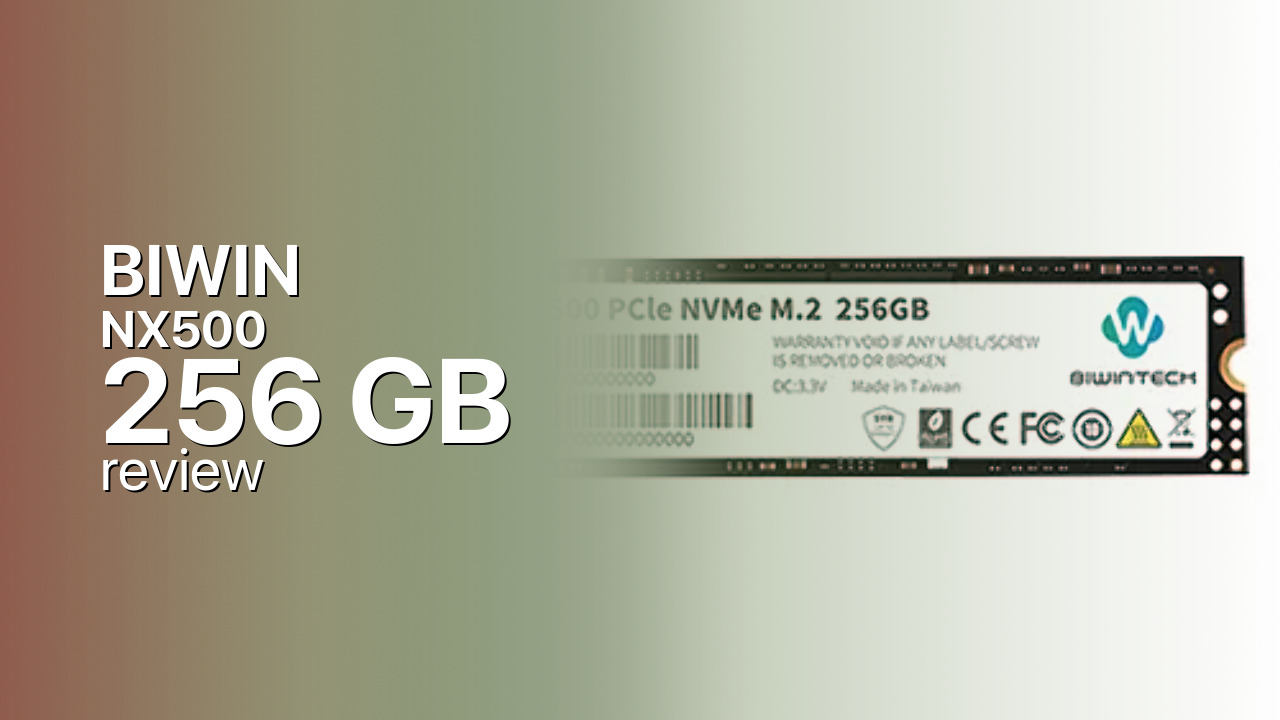
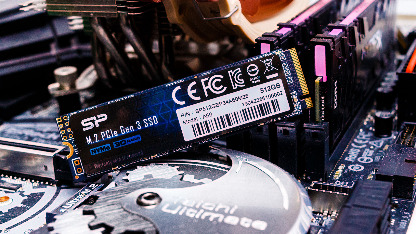
The BIWIN NX500 256GB is about as entry-level as NVMe gets: a DRAM-less Silicon Motion SM2263XT running four channels over PCIe 3.0 x4, 3D TLC NAND, and an NVMe 1.3 stack that uses the Host Memory Buffer instead of onboard DRAM. The rated ceiling is 2,100 MB/s reads and 1,600 MB/s writes — roughly four times a SATA SSD's limit — with LDPC error correction on a slim M.2 2280 module listed at 2.8 mm thick. No heatsink is included, and at this power level none is needed.
BIWIN is a Chinese flash-storage manufacturer and BiwinTech is its consumer label; the NX500 sells mainly through regional retailers in South Asia and similar markets rather than global channels. Listings agree on the 2,100 MB/s read rating but disagree on the 256 GB write ceiling — retailer spec sheets quote anywhere from 1,300 to 1,750 MB/s — so treat the write figure as approximate and capacity-dependent. No professional review of this model exists anywhere, and BIWIN publishes no endurance rating or warranty term for it, which shapes every recommendation below.
This capacity has one job: reviving an older desktop or laptop whose SATA boot drive has become the bottleneck. The honest comparison set is the Kingston NV1, the WD Blue SN550, and the Crucial P3 — all entry-class, DRAM-less or HMB-based Gen3 drives. Each of those brings something the NX500 lacks: a long review record and published warranty terms, which matter more on an undocumented drive than a small edge on a spec sheet.
Storage Comparisons:
NX500 Performance & Benchmarks
BIWIN rates the NX500 256GB at 2,100 MB/s sequential reads and 1,600 MB/s writes over PCIe 3.0 x4. Read speed is the headline: boot times and application launches improve immediately over any SATA drive, and that jump is the entire reason this class exists. Write behavior follows the usual DRAM-less pattern — a pseudo-SLC cache absorbs everyday bursts, but sustained transfers beyond a few dozen gigabytes will settle to native TLC rates well below the 1,600 MB/s peak. With no professional reviews and no published IOPS ratings, there are no verified random-performance figures to quote; plan on typical entry-tier responsiveness rather than flagship 4K numbers.
BIWIN NX500 256 GB vs M.2 3.0 x 4 peers
Switch between sequential throughput and random IOPS to see how this drive stacks up against other M.2 3.0 x 4 SSDs in our database. The highlighted bar is the drive on this page — click any other bar to open that drive.
- ADATA SX 8800 Pro 512 GB: 3,500 MB/s read, 2,700 MB/s write
- ADATA SX 8800 Pro 1 TB: 3,500 MB/s read, 2,700 MB/s write
- ADATA XPG Spectrix S40G RGB 256 GB: 3,500 MB/s read, 3,000 MB/s write
- ADATA XPG Spectrix S40G RGB 512 GB: 3,500 MB/s read, 3,000 MB/s write
- BIWIN NX500 256 GB (this drive): 2,100 MB/s read, 1,600 MB/s write
The 2,100 MB/s read ceiling also sets expectations honestly: this drive never approaches Gen4 territory and cannot saturate even the Gen3 interface it uses. For its intended role — a boot drive in an aging PC — the numbers that matter are the read rating, the TLC NAND behind it, and the slim 2.8 mm profile, and on those terms the NX500 delivers what its listing promises. The SM2263XT platform itself is widely used in budget drives, so its behavior is well understood even if this particular badge's is not.
BIWIN NX500 vs Competitors
See how the NX500 stacks up against other M.2 3.0 x 4 drives in our database:
Compare with rival drives:
Endurance, TBW & Warranty
BIWIN publishes no TBW endurance rating and no official warranty term for the NX500, and that absence is itself useful information: at this tier, established brands typically quote endurance figures and cover one to three years, while here support depends on the seller rather than a datasheet. At least one retailer advertises a five-year manufacturing warranty for the 256 GB model, but the manufacturer's own materials do not confirm it, so treat warranty coverage as seller-dependent and verify the listing before purchase. Without a published TBW figure there is no endurance math to quote — plan for the light write workload a boot drive sees, keep backups current, and treat the failure timeline as unknown rather than guaranteed.
BIWIN NX500 256 GB Specifications
| Category | Value |
|---|---|
| Capacity [?] | 256 GB |
| Interface [?] | M.2 3.0 x 4 |
| Controller [?] | Silicon Motion SM2263XT |
| Memory type [?] | 3D TLC |
| DRAM [?] | No |
| Read speed (MB/s) [?] | 2100 |
| Write speed (MB/s) [?] | 1600 |
| Read IOPS [?] | n/a |
| Write IOPS [?] | n/a |
| Endurance (TBW) [?] | n/a |
| MTBF (million hours) [?] | n/a |
| Warranty (years) [?] | n/a |
Verdict: Is the NX500 Worth It in 2026?
Buy the BIWIN NX500 256GB when the mission is a no-drama revival of an old PC: a SATA-bound system gains the most, and 256 GB covers an operating system plus light applications comfortably. Skip it when published endurance numbers, a confirmed warranty term, or benchmark history are requirements — the Kingston NV1 and Crucial P3 provide all three at similar speed. The WD Blue SN550 is the stronger alternative when availability allows, because WD's documented warranty and review record come with it. As an undocumented product from a real NAND-industry manufacturer, the NX500 is plausible rather than proven, and the purchase should be priced accordingly. At the right price, that trade can still make sense.
+ Pros
- 2,100/1,600 MB/s rated transfers
- 3D TLC NAND with LDPC correction
- Slim 2.8 mm M.2 2280 module
- NVMe 1.3 with Host Memory Buffer
- Roughly four times SATA read speed
- Cons
- No DRAM cache on board
- 256 GB write rating varies by listing (1,300-1,750 MB/s)
- No published TBW endurance rating
- No official warranty term from BIWIN
- No professional benchmarks exist
Buy this or similar SSD Storage:
Video Review
DRAM Less But FAST Biwintech NVME & Sata SSD Review